
If you use AI regularly, for work, university, or in your personal life, you’re probably tired of juggling different AI tools and paying for multiple subscriptions. Use AI is a platform that claims to combine all of your favorite LLMs into a single platform.
In this post, we’ll examine these claims and figure out if the platform is worth your money. Our Use AI review covers every detail about the app, including how it works and all core features. We’ll also analyze its user experience and how well it stacks up to similar apps in terms of costs and capabilities.
What is Use AI and How Does It Work?

Use AI is an all-in-one AI hub that grants access to multiple models (like GPT, Claude, Gemini, DeepSeek, Grok, Kimi, Llama, Qwen, among others) in a single interface. The platform currently offers 25+ LLMs, including the latest releases and older models. Use AI is not affiliated with any companies that created the LLMs, but it gives users access to capabilities from products by OpenAI, Anthropic, Google, and many others.
All you have to do is open the web app, select your preferred model, and type your prompt in the chatbox, as you would with any of your regular AI tools. You can send prompts with text, voice, images, and other files. After you submit your message, the system will analyze it using your selected AI model (e.g., GPT 5.5) and respond accordingly.
Use AI Review: Quick Overview (TL;DR)
| No. of AI Models | LLM Types | Key Features | User Interface | Price |
| 25+ | GPTClaudeDeepSeekGeminiGrokKimiQwenLlama | Access to LLMsSeamless switching & comparisonFile upload & analysisVoice input | Easy to use (similar to popular AI tools) | Trial: $1 for 7 days Full subscription: $29.99 per month or $49.99 quarter (3 months) |
Use AI Key Features
Here’s a full rundown of what the platform can do:
Access to LLMs
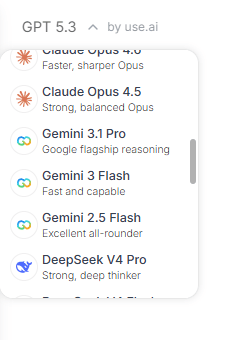
It provides access to 25+ AI models in one interface, and most importantly, in one subscription. You’ll get full access to all capabilities of the model, including writing, problem-solving, image generation, web search, coding, and complex analysis. Basically, if the selected model can do it, then so can Use AI.
Here’s a list of AI models we found on the platform:
- ChatGPT: OpenAI GPT series
- Claude advanced models (Sonnet, Opus, etc.)
- Gemini suite (Pro, Flash, and others)
- DeepSeek (Pro, Flash, etc.)
- Grok
- Qwen
- Kimi
- Llama
Seamless Switching Between Models
You can switch mid-chat between one AI model and another, allowing you to leverage the unique capabilities of each model on the same project. Here’s a quick example where we created a professional sales email using GPT 5.5 and then created a different version using Claude Opus 4.8.
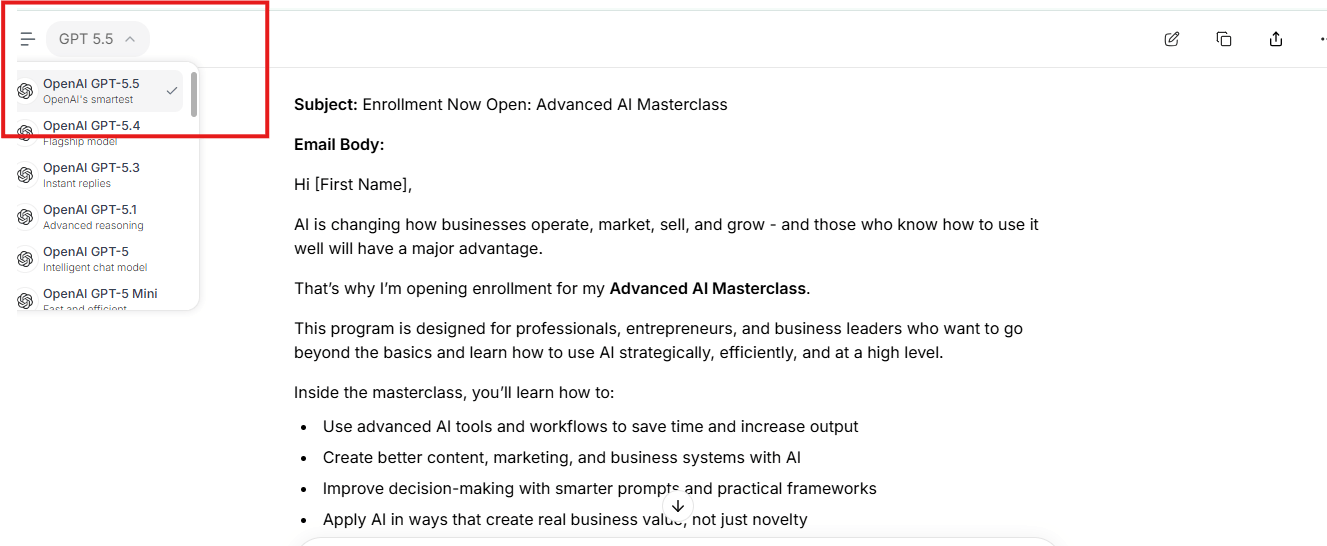
Sales email created with GPT 5.5
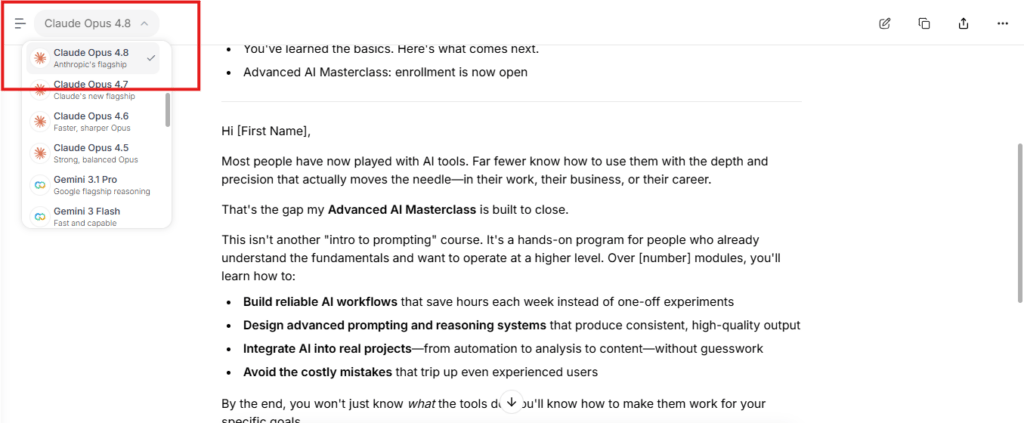
The same sales email created with Claude Opus 4.8
File Analysis
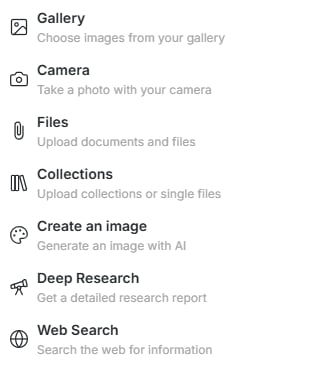
You can upload files such as images, PDFs, worksheets, and documents. Use AI also allows you to take/upload photos with your camera and to send URLs. The AI model will analyze all files, images, and links, according to the capabilities of your preferred LLM.
Voice-to-Text Input

Use AI also allows voice-to-text input. All you have to do is click the voice input button, speak into the microphone, and hit send. Your speech will be transcribed and the resulting text used as your message.
Use AI User Interface & Experience
We tested Use AI for several weeks and compiled this report to show what using the tool feels like.
Ease of Use
The UI is similar to popular AI chatbots like ChatGPT and Claude, so you can expect it to look and feel familiar.
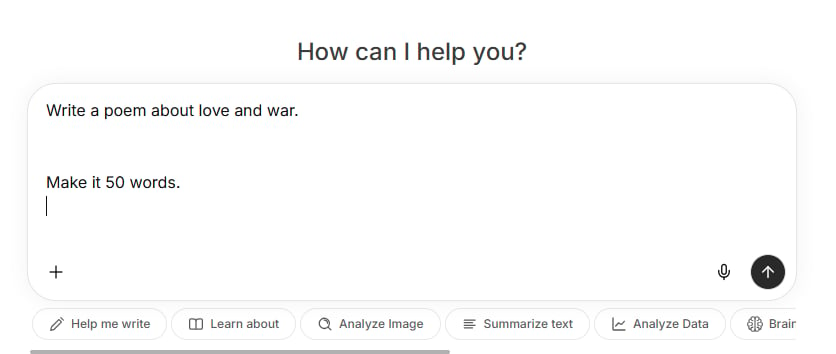
Use AI’s beginner-friendly, intuitive interface
Use AI’s interface also fixes some of the common UI issues people face with those platforms, especially accidental message submission when trying to add a new line. With it, pressing the ‘Enter’ key actually starts a new line instead of sending the prompt.
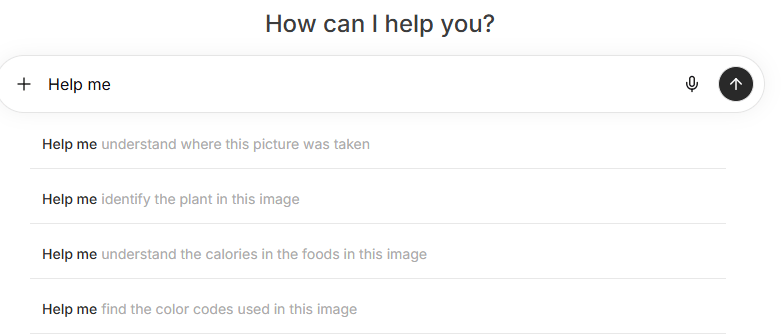
Use AI “analyze image” quick prompt suggestions
There are several quick prompts underneath the chatbox that help you achieve your results faster and easier. Click one and it would open up a list of suggestions for faster prompting.
Overall, Use AI is super easy to use. Even people with little experience using AI tools can get the hang of it quickly.
Accuracy and Response Time
We tested different prompts across all available models to compare the speed and accuracy of Use AI’s responses with those of the model owners’ platforms. We couldn’t share results of all of our tests, but here’s a summary of one of them:
Prompt: “Generate an image of a blue cat chasing a brown mouse.”
Models tested: ChatGPT’s GPT 5.5 and Use AI’s GPT 5.5
Results:

Use AI (GPT 5.5) response for the prompt: Generate an image of a blue cat chasing a brown mouse

ChatGPT (GPT 5.5) response for the prompt: Generate an image of a blue cat chasing a brown mouse
For such a random and subjective query, both platforms did a solid job presenting an accurate depiction. Although ChatGPT created a more detailed image, it took 43 seconds to do so. Use AI only needed 15 seconds. The difference is because Use AI did its best to accurately deliver exactly what we asked for, while ChatGPT took the time to polish its image and add elements that were never in the original prompt.
We noticed a similar pattern across models. Use AI delivers results as accurately and quickly as possible.
Customer Support
The Use AI website has a Help Center with several articles related to account management, subscriptions, and more. The platform also offers 24/7 customer support – you can reach them via email ([email protected]) or direct mail (2093 Philadelphia Pike #1935, Claymont, DE 19703, USA).
Use AI Pricing: How Much Does It Cost?
You get 1 free message. To continue using the service after that, you’ll need a paid subscription. Use AI offers a 7-day trial for $1. You’ll be charged $29.99/month at the end of the trial period unless you cancel. Here’s a rundown of the paid plans:
- Monthly Plan: $29.99 a month
- Quarterly Plan: $49.99 for 3 months
Both plans come with access to all 25+ AI models and every other feature. Please note that the platform’s pricing is typically converted to your local currency.
How Use AI Compares to Other Platforms
We compared the app to other multi-model AI models. This report summarizes our findings:
| Platform | Seamless Switching | Voice Input | Cost of Full Access | Full Access Trial |
| Use AI | ✅ | ✅ | $29.99/month | ✅ $1 (7-days) |
| Aymo AI | ✅ | ❌ | $29/month | ❌ |
| ChatHub | ✅ | ❌ | $39/month | ❌ |
| Krater.ai | ✅ | ✅ | $49/month | ❌ |
| Poe by Quora | ✅ | ✅ | $250/month | ❌ |
Compared to the other platforms, Use AI offers a better chance to assess the full capabilities of their system before committing to a long-term plan.
Final Verdict: Is Use AI Legit?
Based on our research, Use AI is worth the money for anyone who uses multiple AI models regularly. If you often feel overwhelmed with the stress and cost of having too many subscriptions to popular LLMs, Use AI will help you save costs, reduce confusion, and increase productivity.